

Save the recipe.
Cook it on HomeView.
HomeNom is a recipe box made for cooking with HomeView. Save recipes from Safari, from reels and videos, or from your own notes, and open any of them on HomeView in its step-by-step cooking view.
iPhoneiPad
Free for your first 10 recipes · HomeNom Unlimited is $1.99 a month or $19 a year · Requires iOS 27 or later
Features
Every recipe, one clean page.
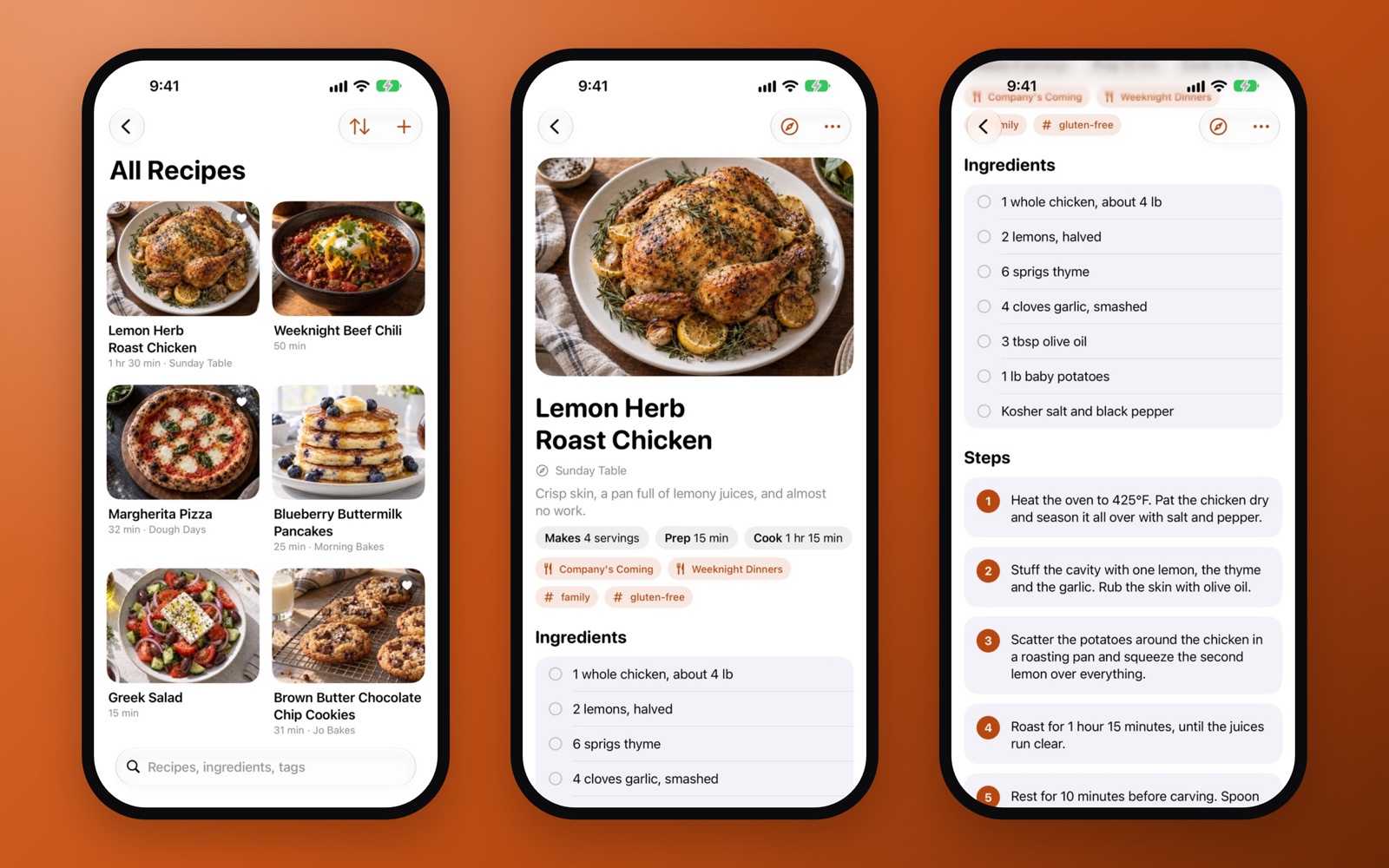
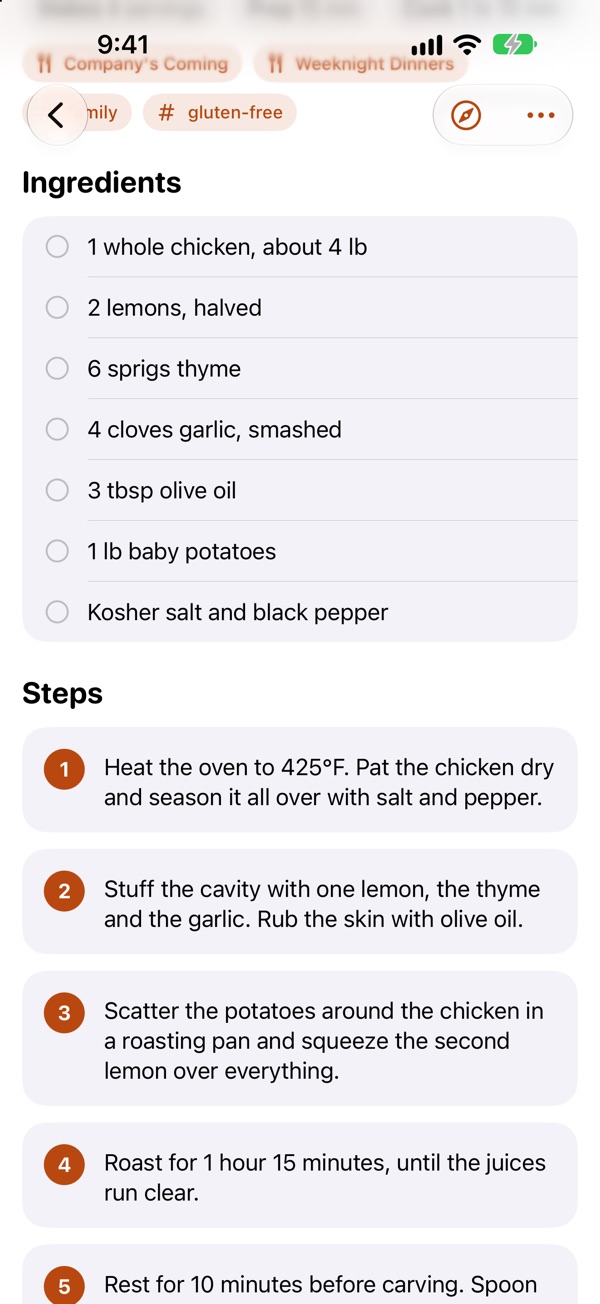
HomeView has a step-by-step cooking view, but it only appears for recipe pages opened in Safari. HomeNom gives every recipe you save a page of its own, so the recipe from your notes, a reel, or a blog buried in ads opens on HomeView the same way: one step at a time, with the ingredients a tap away.
Save from Safari
Share a recipe page from Safari. HomeNom keeps the recipe, with its photo, times, servings and a link back to where it came from, and leaves the rest of the page behind.
Reels and videos
Share a reel or video with the recipe in its caption, and HomeNom saves the recipe from it.
Notes, pasted or shared
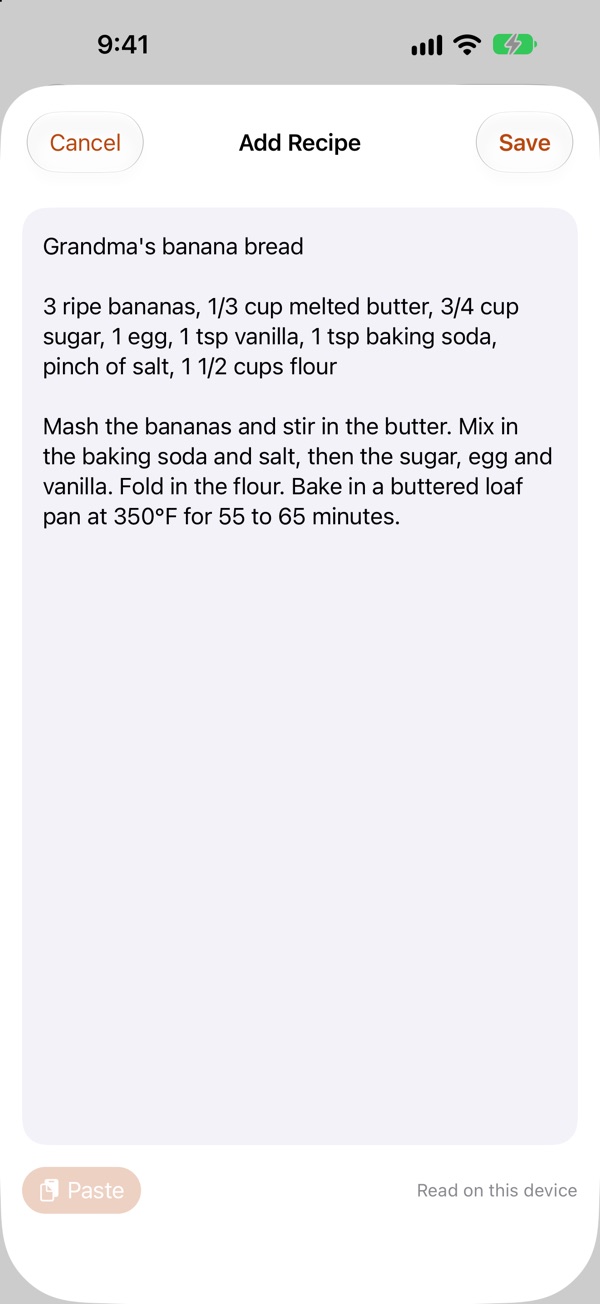
Share or paste a note, however it is written. HomeNom works out the ingredients and the steps.
Read on your device
On iPhone and iPad with Apple Intelligence, notes and captions are read into ingredients and steps on the device.
Lists, tags and favorites
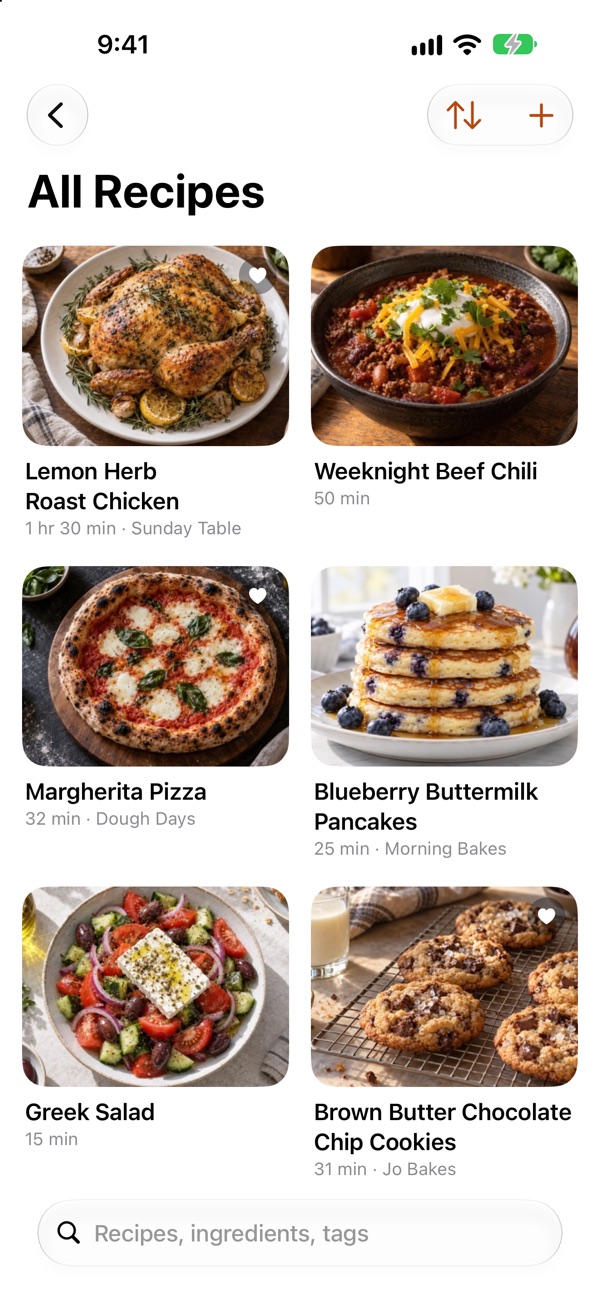
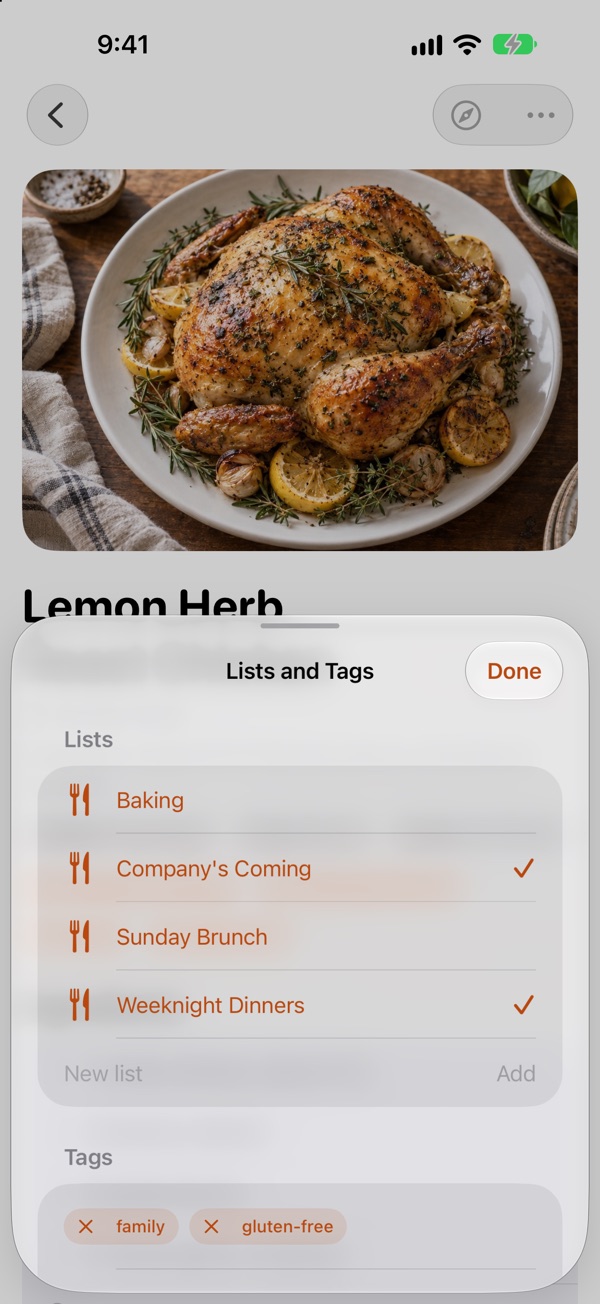
Sort recipes into lists like weeknight dinners, baking or Sunday brunch. Tag them, mark favorites, and search by title, ingredient or tag.
Fix anything by hand
Ingredients and steps are plain text, one per line, so correcting a recipe is as simple as typing.
Cook on HomeView
Tap the Safari button on any recipe to open its page on homenom.app. Hand it off or AirDrop it to HomeView and choose Start Cooking.
Syncs with iCloud
Your recipe box syncs between iPhone and iPad with iCloud. There is no account to create.
Private by design
No account, no ads and no tracking. A recipe gets a page only when you ask for one, and its link is long and unlisted.
Gallery
From a note to a recipe.
How it works
Save it once. Cook it step by step.
- Save a recipe. Share a page from Safari, a reel or video, or a note to HomeNom, or tap + and paste a link or the text of any recipe.
- Check it over. HomeNom works out the ingredients and the steps. Fix anything by hand, then add the recipe to a list or tag it.
- Tap the Safari button on the recipe. HomeNom gives that recipe a clean page of its own on homenom.app and opens it in Safari.
- Hand it off or AirDrop it to HomeView and choose Start Cooking. The page works in any other browser too, so a link is an easy way to send someone a recipe.
FAQ
Questions
Do I need a HomeView?
No. HomeNom is a recipe box for iPhone and iPad by itself, and a recipe's page opens in any browser. With a HomeView, that page is what brings up Start Cooking.
Why does each recipe get a page of its own?
HomeView's step-by-step cooking view only appears for recipe pages opened in Safari. HomeNom gives every recipe you save a clean page, so a recipe from your notes or a reel opens on HomeView the same way as one from a website.
Who can see my recipe pages?
Only people who have the link. A recipe gets a page only when you tap its Safari button, and the link is long and unlisted. The page comes down by itself a week after you last opened it, and tapping the Safari button again puts it back. Removing the page or deleting the recipe takes it down right away.
What does it cost?
HomeNom is free for your first 10 recipes, with every feature included. HomeNom Unlimited removes the limit for $1.99 a month or $19 a year (prices vary by region). It is an auto-renewing subscription through your Apple Account, and you can manage or cancel it in Settings.
What if my device doesn't have Apple Intelligence?
On iPhone and iPad with Apple Intelligence turned on, the text of a recipe is read on the device. Without it, the text of the recipe you are saving is sent to HomeNom's server at homenom.app, which picks out the ingredients and steps and sends them back. The text is not stored.
Does HomeNom collect anything?
There is no account, no ads and no tracking. A recipe is uploaded only when you tap its Safari button, and its text is sent to be read only on a device without Apple Intelligence. Privacy policy.
How do I get help?
Send a message from the support page, or see homenom.app/support.
Give every recipe a place at the table.
Free for your first 10 recipes, on the App Store for iPhone and iPad.
Download on the App Store